
PRODUCT — LIVE
Super ADB Manager
Run your Android device from your Mac. No terminal, no Homebrew — download, open, work.
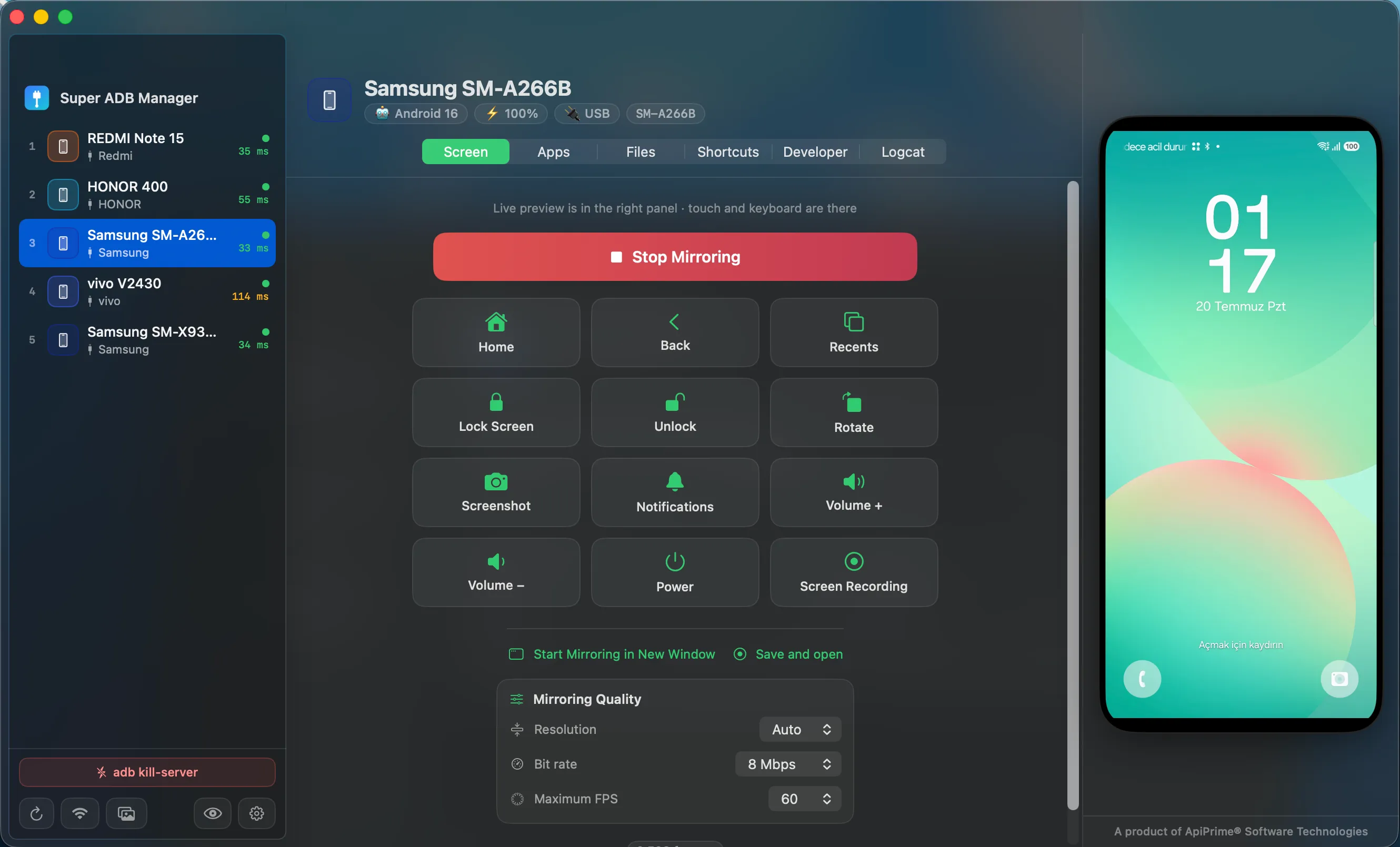
What it does
MULTI-DEVICE
Lists every device connected over USB or Wi-Fi at once, and switches between them in one click.
SCREEN MIRRORING
Brings the device screen onto your Mac and lets you drive it with keyboard and mouse.
APP MANAGEMENT
Install APKs, pull an installed app back out as an APK, uninstall, or clear its data.
FILE BROWSER
Navigate the device filesystem visually and move files both ways by drag and drop.
ADVANCED LOGCAT
Live log stream with filtering by level, tag and package, plus search and export.
DEVELOPER OPTIONS
Toggle the developer settings you actually use without digging through device menus.
WIRELESS PAIRING
Pair once over cable, then keep working wirelessly over the same network.
THEMES AND SHORTCUTS
Light and dark themes, keyboard shortcuts, and an interface in 15 languages.
Specifications
- PLATFORM
- macOS — native SwiftUI application
- ARCHITECTURE
- Apple Silicon
- DISTRIBUTION
- Apple notarized build, direct download
- DEPENDENCIES
- None — no Homebrew, no separate ADB install
- LANGUAGES
- 15 interface languages
- LICENCE
- Free
Is it really free?
Yes. Download and use Super ADB Manager at no cost. No payment, no account, no subscription.
Do I need to install ADB separately?
No. Everything required ships inside the app. You never open a terminal or touch Homebrew.
Can it be adapted for enterprise use?
For teams managing device fleets we can discuss custom configuration and integration. Scope is agreed in the call.
This one is free. Let’s talk about the systems we build.
No deck needed. 20 minutes. The rest is up to you.